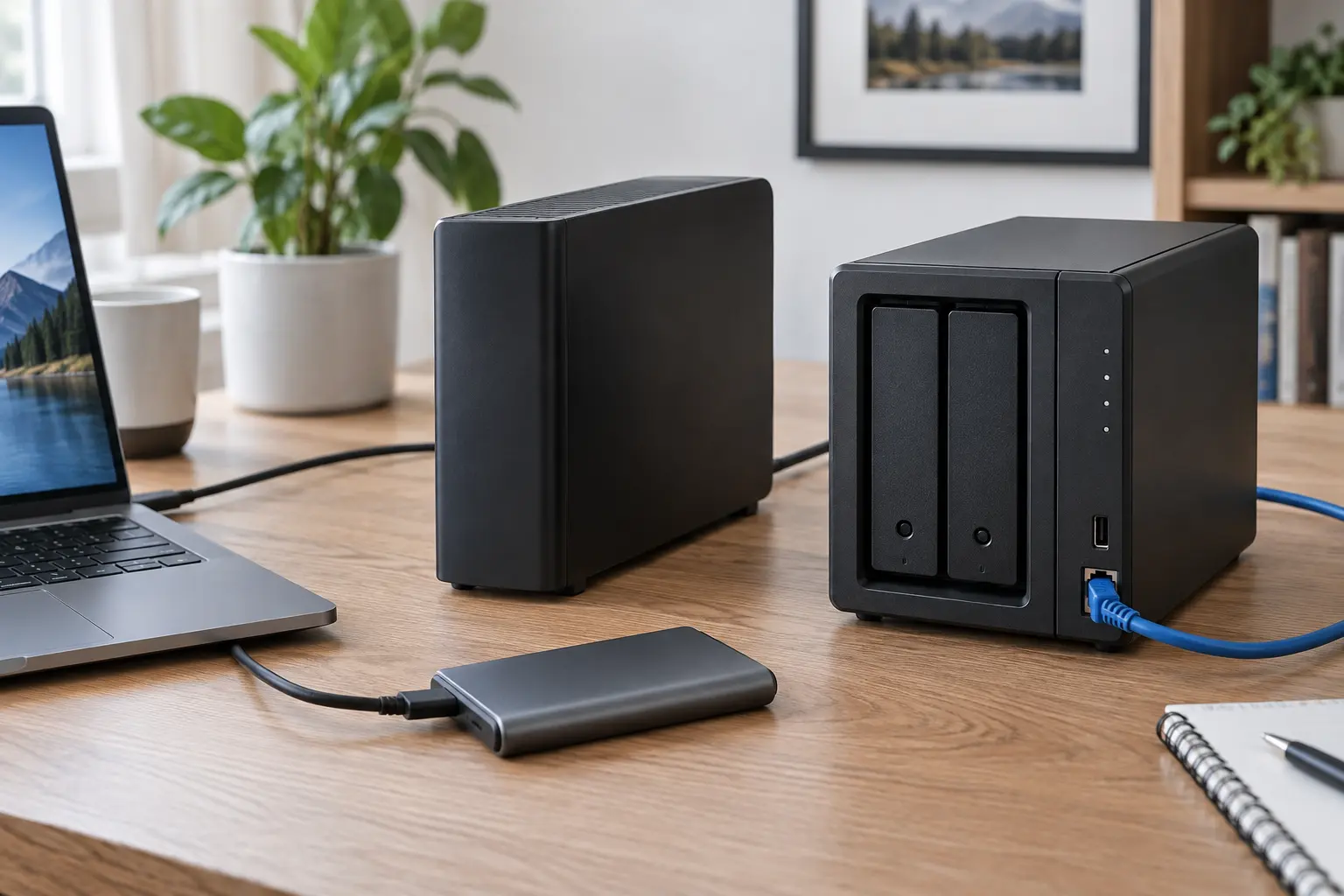
An external SSD, a desktop hard drive and a network-attached storage box can all hold the same files. They solve different operational problems. The SSD is fast and portable. The hard drive usually buys more capacity for the money. The NAS can automate backups from several devices and serve them over a network. None becomes a backup merely because files were copied to it once.
A reliable backup is a separate, current copy that can be restored after deletion, device failure, theft, malware or an account problem. The storage choice matters, but schedule, isolation, version history and restore testing decide whether the system works.
Start with recovery, not hardware
List the failures the backup must survive. Accidental deletion needs version history. A dead laptop needs a copy that is not inside the laptop. Theft or fire needs an off-site copy. Ransomware needs a version or device the compromised computer cannot rewrite. A cloud-account lockout needs a copy outside that account.
Then set two targets. The recovery point is how much recent work you can afford to lose: an hour, a day or a week. The recovery time is how long you can operate without the files. A photographer moving hundreds of gigabytes has a different recovery problem from a household preserving tax records and family photos.
Calculate capacity with room for history
Measure the data that actually needs protection, not the advertised capacity of the computer. Include user folders, application data, photos, project files and any local mail or archives that are not fully recoverable elsewhere. Exclude replaceable caches only when you know they are replaceable.
Buy enough room for growth and versions. A destination exactly the size of today's source cannot retain much history and may fail mid-backup. A practical starting target for ordinary file history is at least two to three times the protected data, then adjust for change rate and retention. Image and video work with large daily changes may need much more.
Choose an external SSD for fast local recovery
A portable SSD fits a laptop that travels, a workstation with large active projects or anyone who values quiet operation and fast restores. It has no spinning disk, tolerates ordinary movement better than a powered hard drive and can saturate a fast USB connection when the computer, cable and workload support it.
Do not confuse speed with permanence. Flash storage can fail, controllers can fail and a small device is easy to lose. Hardware encryption and password software create a recovery dependency: document the password and compatible software before enabling them. A rugged rating describes tested conditions, not immunity to loss, fire, electrical damage or every drop.
Samsung's T7 Shield is one current example of the category, with USB 3.2 Gen 2, published sequential speeds up to 1,050 MB/s read and 1,000 MB/s write, AES 256-bit hardware encryption and an IP65 rating under the manufacturer's stated conditions. Those are product specifications, not measured performance for your files. Small-file workloads, ports, cables, encryption and the host computer can reduce throughput.
Choose a desktop hard drive for economical capacity
A desktop external hard drive fits large photo, video and computer-image backups that do not need to travel. The usual advantage is capacity per dollar. The tradeoffs are slower random access, audible operation, a separate power supply on many models and greater sensitivity to movement while operating.
Keep it on a stable surface with airflow. Do not move or unplug it during activity. Treat a single enclosure as one failure domain even when it is large. If the drive remains connected all the time, automated backups are easier—but malware, electrical events and mistaken deletion may reach it more easily. Rotate or disconnect an additional copy when the threat model calls for isolation.
Choose a NAS for automation across devices
A NAS is a small network computer with storage bays. It can collect backups from multiple computers, keep versions and continue operating without one laptop attached. It earns its maintenance cost when centralized automation solves a real problem.
A NAS is not automatically an off-site backup, and RAID is not backup. Mirroring can keep the system available after one drive fails; it also mirrors deletion, corruption and many attacks. The NAS has an operating system, accounts, updates, network services and permissions that must be maintained. Exposing its administration interface directly to the internet expands risk. Use vendor-supported remote-access methods conservatively, enable multifactor authentication where available and keep a separate offline or off-site copy.
The practical decision matrix
- Occasional household documents under 500 GB: an existing external drive plus a second independent copy may be enough.
- Traveling laptop or fast project restore: portable SSD, automated when connected, with an off-site copy elsewhere.
- Several terabytes of photos or video at one desk: desktop hard drive for capacity, ideally in a rotation.
- Several computers needing unattended backup: NAS, but only if someone will own updates, alerts and restore tests.
- One computer and no appetite for administration: skip the NAS; simple automation you maintain beats complex automation you ignore.
Compatibility is a filesystem and software decision
Confirm ports, cables, power and operating systems. A USB-C connector does not promise a particular speed. Windows and macOS have different native filesystems and backup tools. A drive formatted for broad interchange may not support every feature your backup software expects.
Apple's Time Machine and Windows File History solve different parts of backup and versioning. Read current platform requirements before formatting a new device. If both systems must use one physical drive, separate destinations or a network target can be safer than assuming one shared volume will preserve every feature.
Encryption protects custody and adds a recovery obligation
Encrypt backups that contain identity, financial, medical or private family material, especially portable devices. Store recovery keys somewhere independent of the backed-up computer and the drive. Test access from a second account or machine. Encryption without recoverable keys turns hardware loss into data loss.
A NAS may encrypt shared folders or volumes, while backup software may encrypt archives before sending them. Understand which layer holds the key and what happens after a hardware replacement. The encrypted cloud storage guide addresses the off-site custody tradeoff.
Build three copies with different failure paths
- Working copy: the files on the computer or primary storage.
- Local history: automatic versions on an SSD, hard drive or NAS.
- Independent copy: off-site or offline storage that the first two cannot silently overwrite.
The familiar 3-2-1 idea is a useful memory aid, not a certification. Count failure independence, not boxes. Two drives on the same desk share theft, fire and electrical risk. Two folders in one cloud account share account risk. A NAS and its mirrored disk are one managed system, not two independent backups.
Test a restore before trusting the routine
Every month, restore a small random sample to a different folder and open the files. Every quarter, restore a complete representative folder and verify names, dates and application compatibility. At least once, simulate loss of the original computer: can you find the key, install the software and reach the copy without credentials stored only on that computer?
Watch capacity, job failures and stale devices. A green “completed” badge can describe a backup that excluded the folder you care about. NIST's Cybersecurity Framework explicitly treats backups as something to create, protect, maintain and test. Recovery is the evidence.
Commercial disclosure and verification date
The links below go to official security guidance, platform support and manufacturer information. They are not affiliate links, and Life in the Simulation was not paid to include any product. Category recommendations are based on workflow and published specifications, not claimed hands-on testing. Product specifications were checked September 5, 2026 and can change.
Authoritative and official sources
- NIST, Cybersecurity Framework 2.0, including outcome PR.DS-11 on creating, protecting, maintaining and testing backups.
- CISA, Cybersecurity Awareness Month Toolkit: Back Up Data.
- NIST, How to Recover from a Cyber Attack.
- Samsung, T7 Shield specifications.
- Apple Support, Back up files with Time Machine.
- Microsoft Support, Backup and restore with File History.
END OF FIELD GUIDE 035
Keep the question. Test the model.
Choose the narrowest claim the evidence can carry, then leave room for revision.