A weak room does not automatically need a newer router. The problem may be distance, dense walls, interference or the link between access points. If a proper Ethernet run is unavailable, three common fallbacks use very different media: existing coaxial cable, existing electrical wiring or additional Wi-Fi radios.
MoCA can turn compatible coax into a network path. Powerline adapters send data over branch-circuit wiring. Wireless mesh nodes relay traffic by radio unless a wired backhaul is available. The labels describe transport choices, not guaranteed performance. The house decides more than the number on the box.
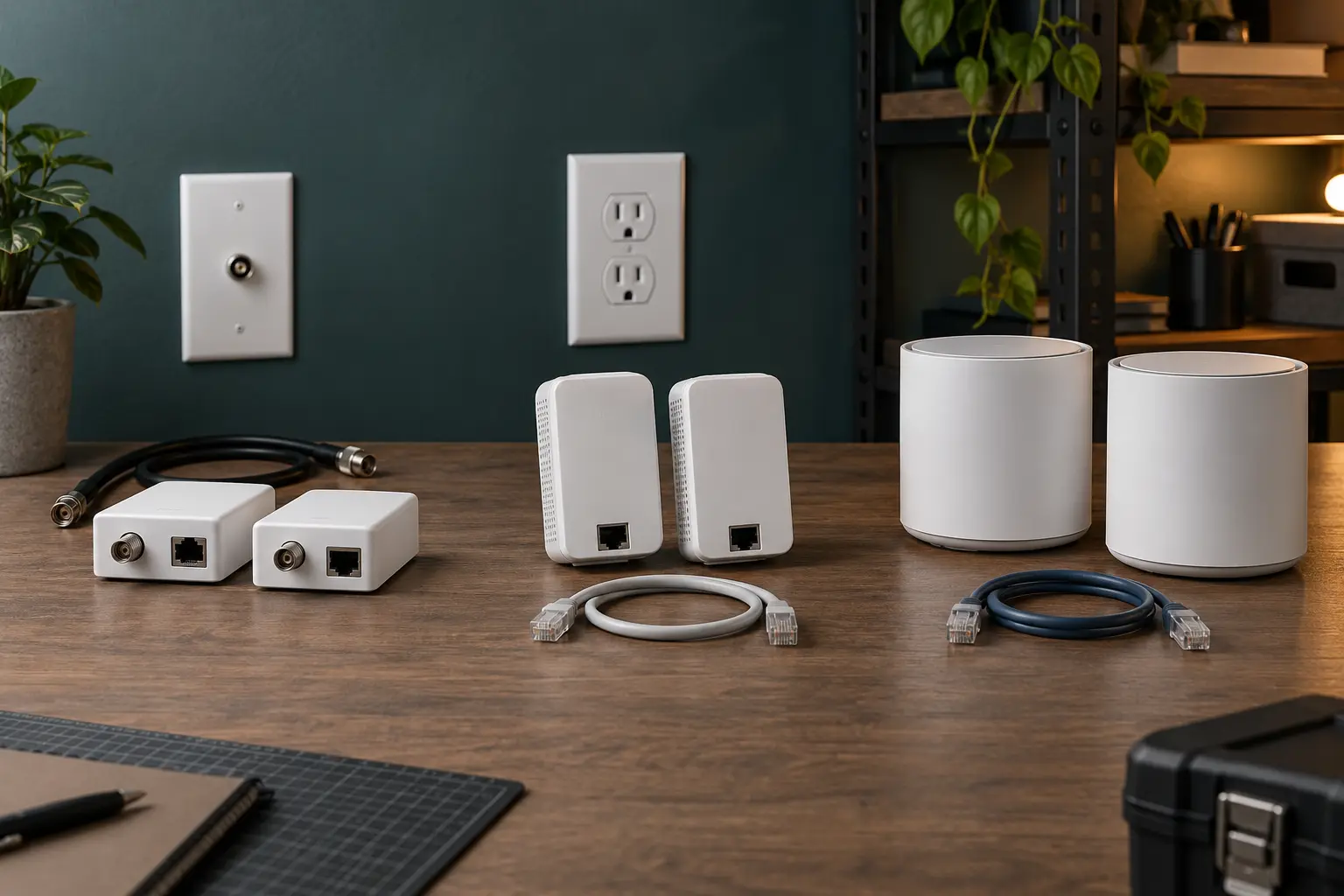
Diagnose the link before choosing the adapter
Stand in the problem room and test three things separately: internet service at the router, local network performance near the router and local performance at the weak location. A slow internet plan, overloaded router or failing client will not be repaired by a new backhaul.
Move the existing router into the open and as central as the service entry permits. Update supported firmware. Test on more than one client. Confirm whether the actual problem is coverage, intermittent latency, low throughput or one device. The router-versus-mesh-versus-access-point guide covers that diagnosis in depth.
If the distant room needs a desktop, television or game console, a wired endpoint may be enough. If the room needs phone and tablet coverage, the alternative path should usually feed an access point or mesh node rather than only one device.
Ethernet remains the reference path
A standards-compliant Ethernet run offers a dedicated medium with predictable topology and straightforward testing. It can also carry power to suitable access points through compatible Power over Ethernet equipment. Existing conduits, unfinished basements or surface raceway may make a professional run easier than assumed.
Do not route ordinary indoor patch cable through ventilation spaces, outdoors or inside walls unless the cable and installation meet applicable requirements. Do not improvise around mains wiring. A low-voltage contractor or qualified electrician is appropriate when the route, fire rating, grounding, penetrations or local code is unclear.
The rest of this guide assumes a proper new run is genuinely impractical, not merely less exciting than buying another device.
MoCA: use coax as the wired backhaul
MoCA adapters bridge Ethernet traffic onto compatible coaxial cable. A basic link places one adapter near the router and another at the remote coax outlet, with Ethernet at both ends. The Multimedia over Coax Alliance describes MoCA 2.5 as supporting aggregate physical-layer rates up to 2.5 Gbps. That figure is not a promise of application throughput in a particular home.
Fits: homes with usable coax outlets near the router and target room, especially when the path will feed an access point, workstation or media device. Tradeoffs: the coax plant must be mapped; splitters, amplifiers, filters, satellite service, cable service and unused branches can affect compatibility.
Trace the coax topology rather than assuming every wall plate connects. Check the adapter manufacturer's supported frequency range and the splitter ratings. Some active amplifiers block the frequencies used for in-home networking. Satellite and cable systems may occupy overlapping or adjacent spectrum; official compatibility guidance from both the network equipment maker and service provider controls.
A point-of-entry filter may be required to keep the in-home MoCA network contained and improve the coax topology, but placement is installation-specific. Do not open a provider enclosure, alter grounding or disconnect active service without authorization. Ask the provider or a qualified technician when the demarcation point is unclear.
Powerline: convenient to test, difficult to predict
Powerline networking uses electrical conductors as a data medium through plug-in adapters. IEEE 1901 defines broadband-over-power-line mechanisms; ITU-T G.hn also covers communication over powerline, coax and other in-premises wiring. A standards label identifies a protocol family. It does not make every electrical path equally good.
Fits: a specific dead zone where the actual outlet pair produces stable results and coax is unavailable. Tradeoffs: performance can change with circuit topology, distance, electrical noise, filters, surge devices and attached loads. Two nearby rooms may behave very differently.
Use only listed, intact consumer adapters according to the manufacturer manual. Plug them directly into appropriate wall receptacles when the manual requires it; many makers advise against surge protectors or extension cords because filtering can block the signal and the setup may violate product instructions. Never modify a receptacle, panel or branch circuit for a network test.
Pair the adapters using the documented security procedure and change default management credentials if the model exposes them. Test at the intended outlets during normal household activity. Run repeated transfers, a video call and a latency-sensitive task across several times of day. A promising link at midnight can deteriorate when appliances and chargers are active.
Do not buy by the largest advertised rate. Physical-layer signaling, protocol overhead and the building's wiring separate box numbers from usable throughput. Stability and latency under real load matter more than a peak screenshot.
Wireless mesh: easiest to place, still dependent on radio
A wireless mesh system coordinates multiple access points and can use Wi-Fi for the backhaul between them. It avoids reliance on coax or electrical wiring, but every wireless hop still needs a strong radio path. A node placed in the dead zone is often too late; it should sit where it can hear the main node well and also serve the target area.
Fits: homes with no suitable wiring path, movable nodes and a layout that permits intermediate placement. Tradeoffs: walls, floors, neighbors and client devices share the radio environment. Wireless backhaul may consume airtime also needed by clients. Extra nodes can add contention rather than capacity.
Use a coordinated system supported by one current vendor or a specifically documented interoperable standard. The Wi-Fi EasyMesh specification defines control and management among multiple access points, including wireless and wired backhaul concepts, but product participation and feature support must be checked on the exact model.
A tri-band design may reserve or prefer a band for backhaul, yet placement remains decisive. Do not expect a newer Wi-Fi generation to transmit through every material. Test one additional node at a strong midpoint before buying a house full of them.
Compare the real decision variables
- Best predictable fallback: MoCA, when the coax path and service coexistence are verified.
- Lowest-commitment experiment: powerline, when the pair can be returned after testing the exact outlets.
- Most flexible placement: wireless mesh, when the building provides a viable radio midpoint.
- Best long-term foundation: compliant Ethernet, when a safe installation becomes practical.
- Best no-buy option: relocate the router, remove an obstructing cabinet, replace a damaged cable or connect a fixed device directly.
These are tendencies, not rankings. A clean wireless link can outperform a hostile powerline path. A disconnected coax outlet is not a network. A poorly planned Ethernet run can create safety and reliability problems despite using the preferred medium.
Use the pre-purchase compatibility sheet
- Map endpoints. Mark the router, target room, coax outlets, wall receptacles and possible node locations.
- Name the job. One wired device, an access point backhaul, whole-room Wi-Fi or several fixed endpoints.
- Check port speeds. The slowest Ethernet port, switch and client can cap the path.
- Check protocol family. Verify MoCA version, powerline standard or mesh compatibility on the exact model.
- Check service coexistence. Cable, satellite and provider equipment can determine whether coax networking is appropriate.
- Check power instructions. Confirm outlet, grounding, surge and pass-through requirements in the manual.
- Check support. Look for current firmware, security updates and documented reset/re-pair procedures.
- Preserve the return path. Building-specific performance cannot be inferred from ratings alone.
Run the same acceptance test for every option
Before installation, record performance at the router with a capable wired client. After installation, test the remote Ethernet output and Wi-Fi separately. Use the same local server or file transfer when possible so the internet connection does not hide the home-network result.
Measure usable throughput, latency, variation and disconnects across several sessions. Then run the real job: a work call, game session, backup or media stream. Note which household activity changes the result. Keep tests inside the return window.
Test failure behavior. Restart the router and adapters according to their manuals. Confirm whether the link returns without a factory reset. Label paired units and keep recovery instructions where another household member can find them.
Treat every adapter as network infrastructure
Update firmware from the official vendor channel. Use documented pairing or encryption. Change management credentials where applicable. Remove abandoned adapters and factory-reset equipment before disposal or resale.
Do not assume a wired medium is automatically private. Coax and powerline are shared physical media within their electrical or cable boundaries, which is why standards include admission and security mechanisms. Correct topology, filtering where required and secure pairing are parts of deployment.
For a proportionate security plan, use Personal Threat Modeling for Ordinary People. Network segmentation can be useful, but it can also break discovery and management; it is not a substitute for supported firmware and strong account security.
What not to buy
Skip a powerline kit if the seller offers no practical return path and you cannot test the actual circuits. Skip MoCA if the coax topology or provider compatibility cannot be established safely. Skip another mesh node if the only available location is already inside the dead zone. Skip any device whose support status or exact protocol is hidden behind “up to” marketing.
Do not combine three uncertain systems on the first attempt. Test one path, document the result and add complexity only when the remaining problem is defined.
The bottom line
MoCA is usually the strongest Ethernet substitute when compatible coax already reaches the right places. Powerline is a building-specific trial, not a performance promise. Wireless mesh is a placement problem before it is a shopping problem.
Choose the medium the home can support, not the largest number on the box. Verify compatibility, test the real task and keep the installation simple enough to recover when something changes.
Standards and implementation sources
- Multimedia over Coax Alliance, MoCA technology and standards, for the role and rated capabilities of MoCA networking.
- IEEE Standards Association, IEEE 1901-2020, for broadband communication over powerline networks.
- International Telecommunication Union, G.hn home-networking standards overview, for operation across existing in-premises wiring.
- Wireless Broadband Alliance, Operator Managed Wi-Fi reference architecture, for the role of Wi-Fi EasyMesh in coordinated multi-access-point networks; verify exact product certification separately.
- For the upstream architecture decision, use Home Wi-Fi Without the Hype.
END OF FIELD GUIDE 051
Keep the question. Test the model.
Choose the narrowest claim the evidence can carry, then leave room for revision.