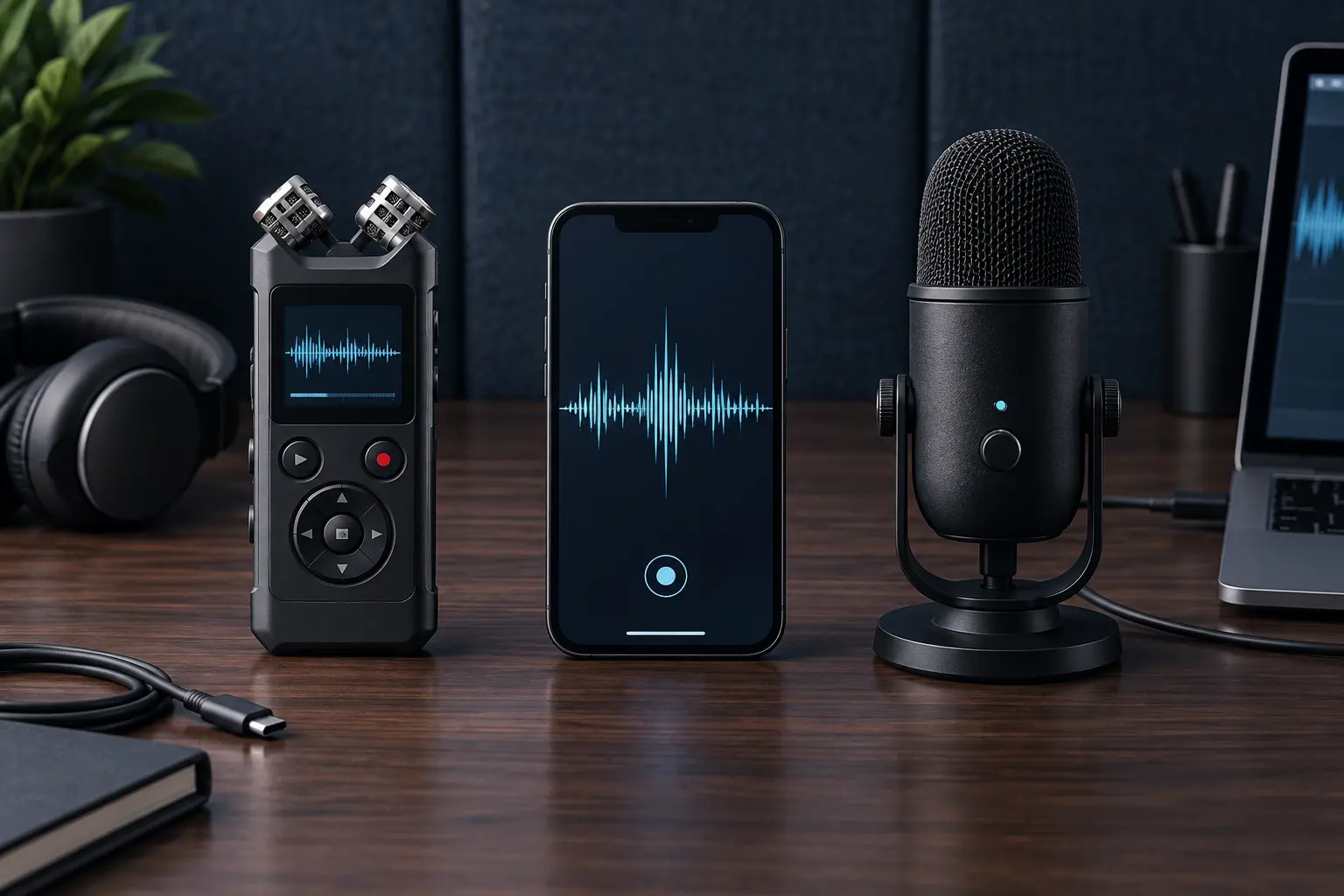
A dedicated handheld recorder, a phone app and a USB microphone can all produce useful speech recordings. They solve different problems. The handheld is built to capture away from a desk. The phone minimizes what you carry. The USB microphone improves a computer-based workflow. Buying by “audio quality” alone hides the decisive questions: where will you record, who is speaking, who has consented, where does the file go and what happens when power or connectivity fails?
Commercial disclosure: Life in the Simulation has no approved affiliate program configured for this domain. This guide contains official, non-affiliate documentation links and no paid product links. No model was hands-on tested, rated or checked for current price or stock.
The short answer
| Path | Best fit | Main tradeoff | Do not buy when |
|---|---|---|---|
| Phone app | Occasional notes, interviews with permission, minimum carry | Calls, storage, cloud settings and battery share one device | Your current phone reliably captures the real use case |
| Dedicated recorder | Field interviews, long sessions, offline capture, removable storage or physical controls | Another device, batteries and file-transfer routine | You will not maintain, carry or export from it |
| USB microphone | Desk narration, remote meetings, lessons and podcast-style recording | Needs a host device and a controlled position | You need mobile, multi-person or unattended field capture |
A fourth path—an audio interface with XLR microphones—fits expandable studio or multi-input work. It is deliberately outside this comparison because it changes the system, budget and setup burden. Do not buy into that system merely because it is called “professional.”
Phone app: the no-buy default
For occasional spoken notes and simple interviews, start with the phone already in your pocket. Apple's Voice Memos guide documents recording and basic editing on iPhone. Google's Pixel Recorder help describes capabilities available on supported Pixel devices. Features, transcription languages, cloud behavior and export routes change by model, operating-system version and region; verify them on the exact device.
The phone wins on availability and loses when availability is not reliability. Incoming calls, low storage, aggressive battery management, permission changes and an unclear microphone path can affect a session. Airplane mode may reduce interruptions, but it also changes connectivity and must not cut off communication you need. Test the complete setup before an important recording.
Use the no-buy path when the room is quiet, the speaker is close, the session is short enough for available power and storage, and the built-in export produces a standard file you can preserve. Put the device on a stable surface, keep microphones unobstructed and record a thirty-second sample from the actual position.
Dedicated recorder: a capture appliance
A handheld recorder earns its place when recording is the primary job. Physical record, stop and level controls can be easier to operate without navigating a screen. Replaceable or long-life power, removable media, microphone inputs and headphone monitoring may matter on long field days. None of those features is universal. Check the exact manual.
Sony's archived ICD-UX560-series help guide is one example of the detail a real manual exposes: recording settings, file management, computer connection and operating constraints. It is a model-specific reference, not a recommendation. Use the current manual for any recorder you consider.
For a dedicated recorder, compare startup time, control lock, input type, maximum supported media, file format, timestamp behavior, power options and whether files mount as ordinary storage. If you need an external microphone, verify connector type, plug-in power or phantom-power requirements and supported input level. A connector that physically fits can still be electrically wrong.
USB microphone: the desk path
A USB microphone combines a microphone, preamplifier and analog-to-digital converter in one device. It can simplify desk narration, teaching and remote interviews because the computer sees a digital audio device. It does not automatically fix room echo, keyboard noise or poor placement.
Before buying, verify operating-system support, connector and cable requirements, monitoring options, sample formats and whether the recording application can select the device reliably. The recent USB-C cable capability guide matters here: a cable's connector shape does not establish its data capability or compatibility.
Microphone technique usually outruns specification shopping. A modest microphone placed close to the speaker in a quiet, soft room can outperform an expensive microphone placed across a reflective room. A large desk stand can transmit bumps. A sensitive pattern can capture fans and traffic. Solve distance and environment before buying resolution you cannot use.
The selection matrix
| Criterion | Question to answer | What to verify |
|---|---|---|
| Capture context | Desk, pocket, interview table, lecture or outdoor field? | Mounting, wind protection, controls and cable dependence |
| People and position | One close speaker or several people across a room? | Microphone layout, input count and placement plan |
| Power | How long must recording survive? | Real manual limits, battery type, charging during capture |
| Storage | How many hours and what file sizes? | Internal/removable capacity, supported formats, free-space warning |
| Monitoring | Must you hear clipping or cable failure live? | Headphone output and zero/low-latency monitoring |
| Portability | Can you retrieve standard files without a subscription? | USB mass storage, export formats and metadata |
| Privacy | Does audio or transcription leave the device? | Sync defaults, account requirement, retention and deletion |
| Failure recovery | What happens if the app, service or media fails? | Local copy, backup route and file segmentation |
Formats, levels and storage without spec theater
Uncompressed PCM formats such as WAV are widely supported and preserve straightforward editing options, but use more space. Compressed formats can be practical for long speech recordings. The correct choice depends on the editing chain, storage and delivery requirement—not on the largest number printed on a box.
For speech, clipping is more destructive than failing to capture an extreme specification. Record a realistic voice at realistic distance, watch the meter if available and leave headroom for laughter or emphasis. Automatic level control may help in some uncontrolled situations and may also raise background noise during quiet passages. Learn what the device does rather than assuming “auto” means safe.
Estimate storage with a test file from the selected settings. Record five minutes, note the file size and multiply by the planned duration with margin. Published maximum times may assume particular formats, media and power conditions. A local test connects the specification to your workflow.
Consent and privacy are part of the equipment
Recording law varies by jurisdiction, context and purpose. The United States federal interception statute is codified at 18 U.S.C. § 2511, but state and other laws may impose stricter rules, and workplace, school or platform policies may add obligations. This guide is not legal advice. The practical default is to obtain clear permission from every participant before recording, state the intended use and stop if permission is withdrawn.
Consent is not solved by hiding a recorder because the local minimum might permit it. People can reasonably care about transcription, searchability, sharing and retention even when they agreed to be heard in a room. Name those downstream uses.
Check whether an app uploads audio or transcripts, whether cloud sync is optional, who can access shared links and how deletion works. Apply the site's data-minimization protocol: collect only what the purpose requires, restrict access and set a deletion date.
The five-minute preflight
- Permission: confirm everyone knows recording is about to begin and what it is for.
- Power and space: check battery, available storage and the selected destination.
- Signal path: select the intended microphone and disconnect accidental alternatives.
- Sample: record thirty seconds with the quietest and loudest likely speech; play it back through headphones.
- Position: stabilize the device, reduce handling noise and keep the microphone close enough.
- Redundancy: for consequential sessions, use an independent backup only with the same consent.
- Export: after recording, copy the file, open the copy and preserve an untouched original.
A blinking record symbol is not proof of usable audio. Playback is the smallest real verification.
Treat transcription as a separate system
Recording and transcription have different failure modes. A recorder can preserve excellent audio while an automated transcript invents words, drops names or fails across accents and overlapping speech. Keep the audio when accuracy matters, mark uncertain passages and verify consequential quotations against the recording.
Cloud transcription can add account, retention and confidentiality questions. Local transcription can add hardware and maintenance burden. Choose separately. Do not buy a recorder solely for an advertised AI feature unless you have verified language support, export, privacy behavior and the continued usefulness of the raw file without the service.
What not to buy
- Do not buy a handheld recorder for rare notes your tested phone already handles.
- Do not buy a USB microphone for across-the-room meetings when placement cannot improve.
- Do not buy by maximum sample rate while ignoring room, distance and clipping.
- Do not buy a proprietary transcription workflow without a raw-audio export and exit plan.
- Do not buy an external microphone until connector, power and input compatibility are documented.
The purchase should remove a verified failure: missed starts, insufficient runtime, unusable controls, poor monitoring, incompatible inputs or an unreliable export path. If it cannot name the failure, it is probably equipment desire wearing workflow language.
Decision rule
Test the phone first. Choose a dedicated recorder when mobile reliability, physical controls, monitoring or independent power are the missing capability. Choose a USB microphone when the work stays at a computer and placement can be controlled. Escalate to a more complex audio system only when multiple inputs, specialized microphones or production requirements make that complexity necessary.
Whichever path you choose, make it portable. The digital exit-plan guide supplies the export, verification and restoration routine that prevents a recording library from becoming hostage to one app.
Official and primary references
- Apple iPhone User Guide: make a recording in Voice Memos.
- Google Pixel Phone Help: Recorder.
- Sony ICD-UX560-series Help Guide, an example of model-specific requirements and file handling.
- 18 U.S.C. § 2511; check applicable state, national, workplace and institutional rules before recording.
END OF FIELD GUIDE 059
Keep the question. Test the model.
Choose the narrowest claim the evidence can carry, then leave room for revision.