A webcam purchase starts with a simple complaint—soft image, awkward angle, unreliable focus, bad exposure or a laptop that cannot sit at eye level. The category answers with megapixels, 4K labels, AI framing and studio language. Most calls are constrained somewhere else.
The delivered image passes through a lens, sensor, processor, cable or radio link, operating system, conferencing app, account policy, network and recipient layout. A 4K camera may be sent at a lower resolution. A phone may look excellent until a call interrupts it. A built-in camera may be perfectly adequate after the laptop is raised and the face is lit from the front.
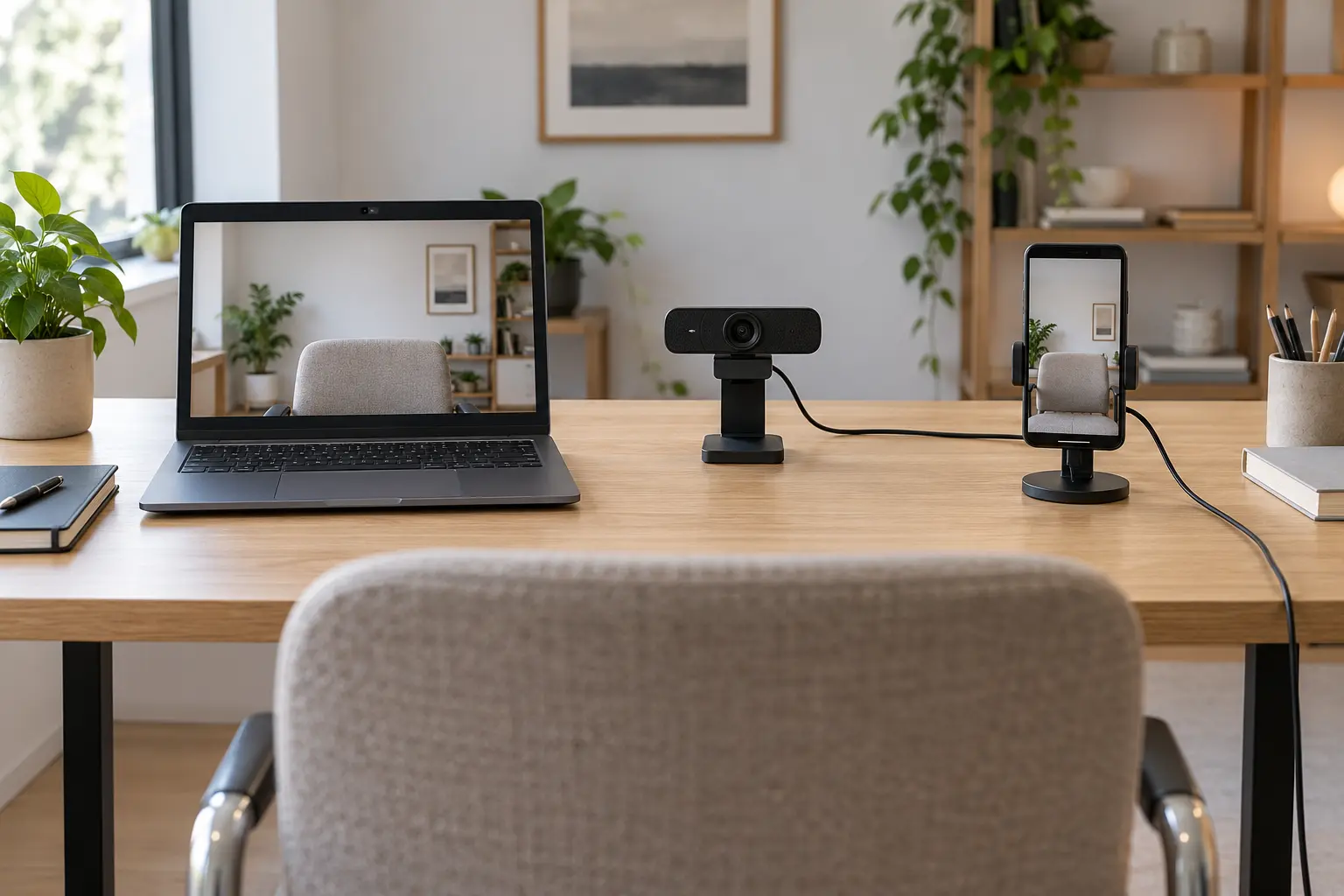
Define the camera job before the camera
List the calls that matter: occasional family chat, daily work meetings, teaching, interviews, streamed demonstrations, low-light rooms, standing presentations or desk close-ups. Add the computers and operating systems, conferencing apps, account restrictions and whether employer device policy allows new drivers or phone-link features.
Then write the failure that needs fixing. If the problem is eye line, a laptop stand may solve it. If the face is dark against a window, move the desk or add a soft front light. If the microphone is distant, changing the camera may not help. If the image freezes, inspect network stability and USB contention before buying more pixels.
| Path | Best fit | Main advantage | Main tradeoff |
|---|---|---|---|
| Built-in camera | Portable, low-friction calls | Always attached, powered and supported by the laptop | Angle follows screen; sensor and framing may be limited |
| External USB webcam | Fixed desk, repeatable framing | Independent placement, often better optics and controls | Adds cable, mount, port, privacy and compatibility decisions |
| Smartphone as webcam | Reuse a capable phone camera | Strong existing camera without buying another sensor | Mounting, battery, calls, permissions, ecosystem and availability |
| Buy nothing | Problem is light, height, audio or network | Fixes the actual bottleneck | Requires diagnosing the path instead of shopping |
Built-in: reliability is a feature
The built-in camera shares power, lid geometry, drivers and sleep behavior with the computer. It cannot be forgotten in a drawer, and managed devices are more likely to permit it. For travel and occasional calls, that integration can outweigh modest image quality.
Its weakness is physical coupling. Raise the screen for a better angle and the keyboard may become uncomfortable; add an external keyboard if needed. A thin display limits sensor depth and lens placement. Some laptops offer mechanical shutters or clear indicators, but features vary by exact model.
Choose the built-in path when the preview is acceptable under normal light, framing works at a healthy posture and reliability matters more than cinematic separation. Before replacing it, clean the lens with the manufacturer-approved method, update the system, check app permissions, test front lighting and compare a local camera preview with the conferencing app.
USB webcam: buy the mount and control path
An external webcam can sit at eye level, move independently of the display and provide a wider or narrower field of view. The useful specifications are not just resolution. Check field of view, autofocus behavior, minimum focus distance, exposure controls, mounting thread or clip, cable length and connector, physical privacy shutter, status indicator, supported operating systems and whether core functions work without an account.
USB Video Class standards allow operating systems to recognize many cameras through class drivers, but a generic connection does not guarantee every advertised feature. Vendor software may be required for framing, firmware updates, exposure controls or special modes. On managed computers, installation may be blocked. Verify the manual and support page for the exact model before purchase.
A wide field of view can show a group or whiteboard; at a one-person desk it may reveal more room than intended and make the face smaller. Autofocus helps when distance changes but can hunt in low contrast. Fixed focus can be predictable when the distance never changes. A motorized or AI-framing feature adds software and movement that some users do not need.
Smartphone: excellent camera, shared-purpose device
Apple's current Continuity Camera documentation says an iPhone XR or later with iOS 16 or later can serve as a webcam for a compatible Mac running macOS Ventura 13 or later, subject to same-account, two-factor-authentication, proximity and connection requirements. It works wired or wirelessly, but the phone must be mounted, stable, locked and unobstructed. Incoming calls and unlocking can interrupt the session.
Microsoft documents using a linked Android phone as a webcam on Windows 11 with Android 10 or later and a current Link to Windows app. The phone requires permission, appears as a camera option and can be changed in app settings. Eligibility, policy and exact behavior should be verified on the actual devices.
The phone route fits when you already own a compatible device, can spare it during calls and have a stable mount. It is a poor default when the phone is the emergency contact, authentication device, hotspot, note-taking tool or only way to receive time-sensitive calls. Wireless use adds radio and battery dependencies; wired use adds cable placement and device-trust decisions.
Never balance a phone on books, tape it to a warm display or improvise a mount that can drop onto a person or device. Use a stable clamp or stand rated for the phone's dimensions and weight, keep cameras and controls unobstructed, and follow the platform's mounting guidance.
Resolution is a ceiling, not the delivered call
A camera's capture resolution does not guarantee meeting resolution. Zoom's current documentation ties 720p and 1080p video to account settings, meeting type, app support, device capability and bandwidth; its published requirements increase for HD. Google Meet troubleshooting likewise tells users to observe bandwidth and latency over time because stability affects video quality.
Even when 4K capture is available, many recipients see a small tile. Higher resolution can still help with cropping or local recording, but it also raises processing, bandwidth and storage demands. Buy 4K only when the end-to-end workflow uses it and the computer, app and connection support the job.
Lighting often produces a larger improvement. Face a window or soft lamp rather than placing a bright window behind you. Avoid tiny uncovered lights at eye level. Keep exposure stable and test skin tone, glasses reflections and background contrast in the actual app. Do not claim color accuracy from an uncalibrated meeting preview.
The camera and microphone are separate decisions
A webcam microphone near the monitor may be farther from the speaker than a headset or laptop microphone. More microphones do not automatically mean better sound. Room echo, keyboard noise, distance, automatic processing and the selected input matter.
Choose the camera and microphone separately in the conferencing app. Record a short local sample, then test a private call. Keep the simplest path that produces intelligible speech. If a headset already solves audio, do not pay extra for a webcam mainly because it advertises microphones.
Permission, indicators and physical control
Operating systems and apps need camera permission. Microsoft documents device-level and app-level camera controls in Windows, with a separate boundary for desktop apps. Apple shows privacy indicators when Continuity Camera or its microphone is active. Learn the exact indicator for your platform and verify the selected device before joining.
A physical shutter is useful only if it visibly blocks the lens and does not damage it. A detachable USB webcam can be unplugged, but repeatedly stressing a port is not ideal; a switched hub may conflict with policy or reliability. For sensitive spaces, point the camera away or store it when not in use. Review recording and retention settings separately—the shutter cannot control what a conferencing service stores after capture.
The webcam fit card
- Use: call type, frequency, number of people and whether local recording matters.
- Host: exact computer, operating system, managed-device restrictions and available port.
- App: camera selection, maximum useful resolution, account limits and virtual-background needs.
- Frame: viewing distance, field of view, eye line and background boundary.
- Light: ordinary time of day, front light, backlight and exposure stability.
- Focus: fixed distance, movement, minimum focus and autofocus behavior.
- Mount: clip thickness, tripod thread, phone dimensions, stability and cable strain.
- Audio: selected microphone, distance, room echo and test-call result.
- Privacy: shutter, indicator, permissions, recording policy and storage when unused.
- Fallback: built-in camera, phone, audio-only dial-in or spare cable that is already verified.
What not to buy
- A 4K webcam when the app, plan, computer or bandwidth will not use that resolution.
- An ultra-wide camera for one person when room privacy and face size matter.
- A phone mount before confirming platform compatibility and whether the phone can be spared.
- A camera whose core controls require an unsupported app, account or administrator permission.
- A premium microphone bundle when a current headset already produces clearer speech.
- A motorized tracking camera for a fixed desk without a real movement requirement.
- Any model chosen from a brand family page instead of its exact manual, support window and return terms.
Keep the built-in camera when framing and light solve the problem. Choose USB when a fixed desk needs independent position and repeatable controls. Use a smartphone when official ecosystem support, a stable mount and device availability all fit. Buy nothing when the bottleneck is light, posture, audio, permissions or network stability.
Standards and official references
- Apple Support: Continuity Camera—use iPhone as a webcam for Mac, published May 11, 2026 and checked September 27, 2026.
- Microsoft Support: Use your mobile device's camera, for current Windows 11 and Android requirements.
- USB-IF Video Class document library, for USB Video Class specifications and payload definitions.
- Zoom Support: Enabling HD video and Google Meet Help: Troubleshoot video and audio quality, for app and bandwidth constraints.
- Microsoft Support: Manage camera permissions, for current Windows privacy controls.
END OF FIELD GUIDE 069
Keep the question. Test the model.
Choose the narrowest claim the evidence can carry, then leave room for revision.