A keyboard is sold as a feeling: crisp, creamy, silent, fast, ergonomic, professional. Those adjectives may describe one person's interaction with one board. They do not tell you whether the layout contains the keys your work needs, the connection works before login, the sound is acceptable in your room, the firmware can be maintained, or the desk places your arms well.
Mechanical, scissor and membrane describe parts of the key mechanism, not complete product quality. Excellent and poor keyboards exist in every category. Choose the work, devices and constraints first. Then use the mechanism to understand likely tradeoffs in travel, profile, sound, serviceability and variation.
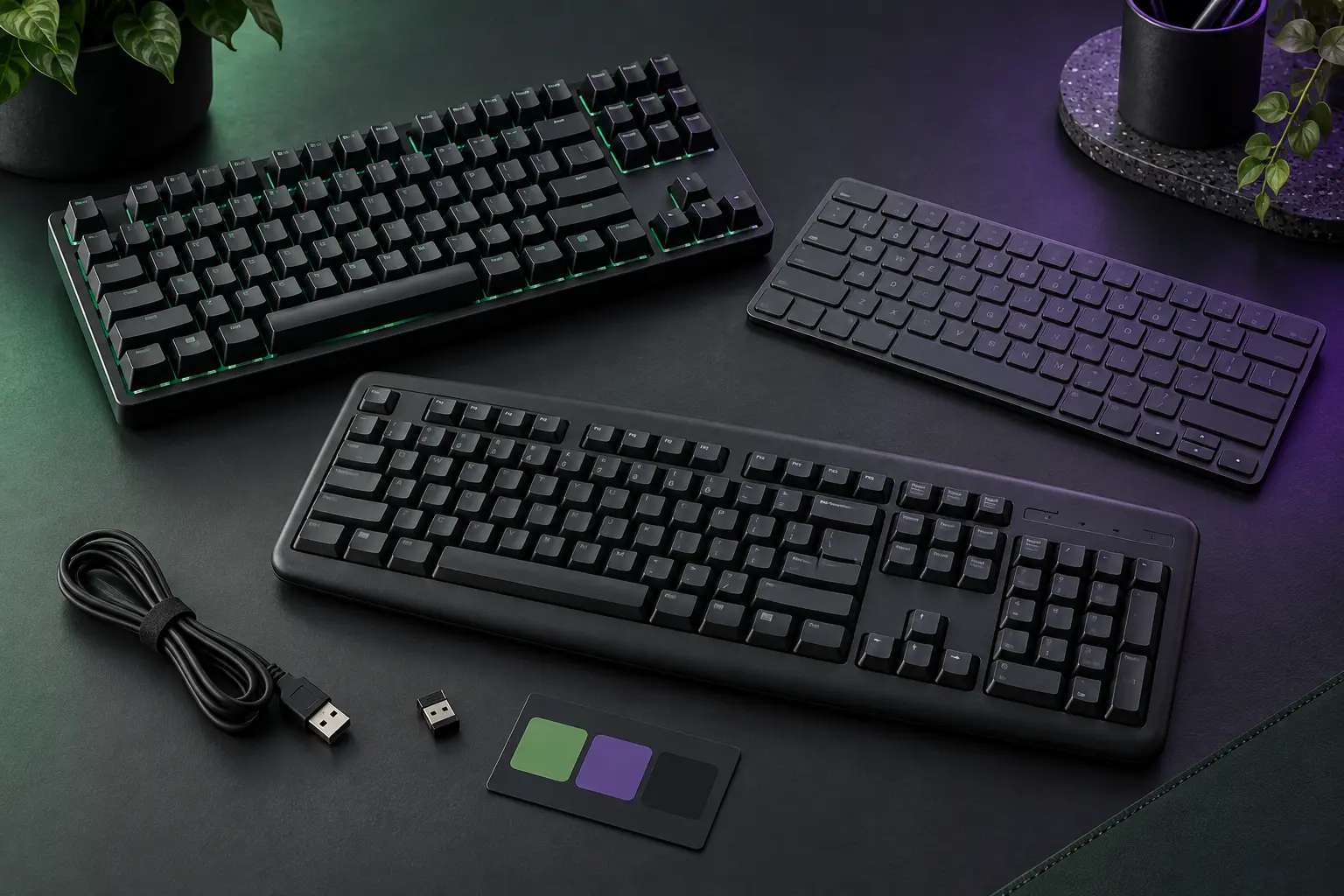
What the three labels usually mean
Mechanical keyboards typically use an individual switch mechanism beneath each key. The switch may be soldered to a circuit board or installed in a hot-swap socket. Switch designs vary in travel, force curve, audible feedback and sensing method. “Mechanical” does not guarantee a metal case, standard keycaps, repairability, low latency or a particular feel.
Scissor keyboards use a low-profile stabilizing linkage beneath a shallow keycap, usually over a dome or similar contact system. Laptop keyboards and many slim desktop boards use this architecture. The short profile can reduce desk height and travel distance, but mechanisms and keycaps are often model-specific and less convenient to replace.
Membrane keyboard is a broad market label, commonly referring to a rubber-dome keyboard over membrane circuit layers. Many ordinary office boards use this design. It can be quiet, inexpensive and spill-resistant in specific implementations. It is not automatically mushy, disposable or slow, and the label alone says little about layout or firmware.
| Decision factor | Mechanical | Scissor | Membrane / rubber dome |
|---|---|---|---|
| Typical profile | Often taller; low-profile versions exist | Usually very slim | Low to moderate |
| Feel variation | Wide; switch and construction dependent | Narrower, short travel | Model dependent; often cushioned bottom-out |
| Sound range | Very wide; board and switch dependent | Often restrained, not guaranteed silent | Often restrained; large keys may still be loud |
| Serviceability | Potentially high with standard parts and sockets | Often model-specific | Often assembly-level replacement |
| Thickness / transport | Often heavier and taller | Usually travel-friendly | Varies widely |
| Main trap | Buying switch hype before layout and firmware | Assuming slim automatically means ergonomic | Treating the category as uniformly low quality |
Layout is a workflow decision
Start with the keys and their positions. A full-size layout includes a number pad but increases width. A tenkeyless board removes the number pad while retaining a navigation cluster and function row. Smaller layouts compress or layer navigation, function and punctuation keys. A split or columnar design changes hand position and may require a substantial learning period.
List the actions repeated in a normal week: numeric entry, spreadsheet navigation, function keys, screenshots, media controls, code punctuation, accessibility shortcuts, language input and application-specific commands. A compact board can be efficient if the layer behavior is visible and learnable. It can be friction disguised as minimalism if essential keys move behind undocumented combinations.
Width also affects the pointer. Removing a number pad may allow the mouse or trackball to sit closer to the body's centerline. But a separate number pad may be valuable for sustained numeric work and can be placed on either side. Do not optimize a photograph of the desk; optimize the repeated movement.
Mechanism does not solve workstation fit
OSHA's computer-workstation guidance treats the keyboard together with chair, work surface, pointer and rests. The general aim is a neutral posture: shoulders relaxed, elbows near keyboard height, and wrists not bent substantially up, down or sideways. Keyboard feet are useful only when their angle helps that posture; raising the rear by habit can increase wrist extension.
A thick mechanical case may require a lower surface or a palm support used during pauses rather than pressure under actively moving wrists. A very slim scissor board can fit a fixed desk more easily but can still create reach or sideways deviation. Smaller keys and reduced spacing can be stressful for some users. OSHA notes that alternative keyboard designs may help neutral posture in particular cases but available research does not conclusively establish that they prevent discomfort or injury.
Comfort is individual and task-dependent. Persistent pain, numbness or weakness deserves assessment by a qualified health professional, not a switch recommendation. No keyboard mechanism is a medical treatment.
Translate feel language into inspectable properties
“Tactile,” “linear” and “clicky” commonly describe mechanical switch behavior. A linear switch aims for a relatively continuous force curve. A tactile switch adds a change in force before bottom-out. A clicky switch adds deliberate audible feedback. Actual force curves, travel and sound depend on the exact switch and board.
Scissor and rubber-dome boards also have force curves, snap, travel and bottom-out character, even if the product page does not describe them with enthusiast vocabulary. Marketing adjectives are not measurements. If feel matters, use a return policy you have verified or try the exact model through a legitimate demo. A small switch sample does not reproduce the case, plate, keycaps, stabilizers and desk that shape a complete board.
For shared rooms, record sound constraints before preferences: calls, sleeping household members, open offices, libraries and microphone position. “Silent” is not a regulated keyboard category. Look for comparable recordings made with disclosed conditions, then treat them as approximate because rooms and microphones differ.
Wired, receiver and Bluetooth are different paths
A wired USB keyboard uses the USB Human Interface Device class when properly implemented. USB-IF's HID specification exists so devices such as keyboards can communicate through standardized reports without every keyboard requiring a unique protocol. Still verify connector type, detachable-cable pinout where relevant, operating-system layout and whether the board works in firmware, recovery and login screens.
A proprietary 2.4 GHz receiver is not the same as Bluetooth. It consumes a USB port and must remain paired with its matching device or supported replacement process. Bluetooth keyboards may use classic HID or HID over GATT for Bluetooth Low Energy, as defined by Bluetooth SIG profiles. Support for multiple saved hosts, fast switching, wake behavior and pre-login use remains model- and operating-system-specific.
For a shared desk, decide whether the keyboard follows the computer through a KVM or USB switch, switches hosts internally, or stays paired to one device. Test sleep, wake, login and recovery—not only typing after the desktop loads.
Remapping has an ownership cost
Remapping can move rarely used keys, create layers and reduce repeated reaches. The implementation matters. Some boards store a keymap in onboard memory; others require a background application or account; some expose open firmware such as QMK; some allow only operating-system remapping.
Open firmware can improve inspectability and longevity, but it is not maintenance-free. QMK documentation makes clear that a custom keymap is compiled into firmware and flashed to supported hardware. Verify that the exact keyboard and revision are supported, preserve the source keymap and original firmware where available, understand the recovery path, and do not flash a work-managed device without authorization.
Ask what happens when the vendor app disappears or your employer blocks it. Essential layout and shortcuts should survive the failure modes that matter. A keyboard that is perfect only while a cloud service runs has a different exit cost from one with documented onboard configuration.
Serviceability depends on the whole construction
Hot-swap sockets can allow compatible mechanical switches to be replaced without soldering, but socket format, switch pins, plate support and firmware still have to match. A hot-swap board can contain nonstandard key sizes or inaccessible batteries. A soldered board may be repairable by a technician. Category labels do not settle the question.
For any wireless keyboard, check battery type, stated replacement procedure, wired operation while charging and end-of-life support. For every board, check availability of keycaps, stabilizers, cables, receivers and documentation. Opening a device can damage it or create battery hazards; use the manufacturer's procedure or qualified repair service.
The twelve-field keyboard fit card
- Work: writing, coding, numeric entry, editing, shortcuts, accessibility and shared-room constraints.
- Layout: language, number pad, navigation, function row, arrows and layer behavior.
- Dimensions: width, front height, tilt options and usable mouse space.
- Position: desk or tray height, chair, pointer location and neutral-posture adjustment.
- Mechanism: mechanical, scissor or membrane—and the exact model's travel and force information.
- Sound: room, microphone, other people and acceptable failure case.
- Connection: USB, dedicated receiver, Bluetooth Classic or Bluetooth LE; cables and ports included.
- Hosts: exact computers, phones, tablets, operating systems, login and recovery requirements.
- Remapping: onboard memory, local app, cloud account, operating-system tool or open firmware.
- Power: replaceable cells or internal battery, charging path, wired fallback and service procedure.
- Service: replaceable parts, documentation, receiver replacement and warranty procedure.
- Exit: what still works if the vendor software, account or wireless path disappears.
Who each category tends to fit
Consider mechanical when you want wide choice in feel and layout, value replaceable switches or open firmware, and can accommodate the height, sound and maintenance. Consider scissor when shallow profile, travel and familiar laptop-like behavior matter more than component-level repair. Consider membrane when you want a straightforward office board, simple replacement and restrained cost without needing switch customization.
Do not buy yet if repositioning the current keyboard, adding a separate number pad, cleaning it according to its manual, changing an operating-system shortcut or using an authorized workplace accommodation solves the problem. Do not replace a functioning board merely because a mechanism category is fashionable.
Commercial disclosure
This site has no approved affiliate program and this guide contains no paid product links. The links below go directly to standards, safety guidance and open technical documentation. Product categories are discussed to help readers define fit, not to imply testing, endorsement or a ranked recommendation.
Official standards and guidance
- USB Implementers Forum: Human Interface Device specification resources, for the standardized USB HID device class used by keyboards and other input devices.
- Bluetooth SIG: Human Interface Device Profile 1.1.2 and HID over GATT Profile, for Bluetooth Classic and Bluetooth LE HID architecture.
- U.S. Occupational Safety and Health Administration: Computer Workstations—Keyboards, for placement, neutral-posture and alternative-keyboard guidance.
- QMK Firmware Tutorial and QMK Configurator guide, for the supported-keyboard, keymap, compilation and flashing workflow.
END OF FIELD GUIDE 073
Keep the question. Test the model.
Choose the narrowest claim the evidence can carry, then leave room for revision.