A smart-home “hub” may be a platform controller, a Thread border router, a bridge for older devices, a radio coordinator, an automation engine—or several of those in one box. Buying by the word hub is therefore a reliable way to acquire the wrong job.
The practical method is to inventory the accessories first, label the role each one needs and then see whether equipment already in the home fills it. Matter improves interoperability at the application layer. It does not make every device use the same radio, give every ecosystem the same features or eliminate manufacturer bridges.
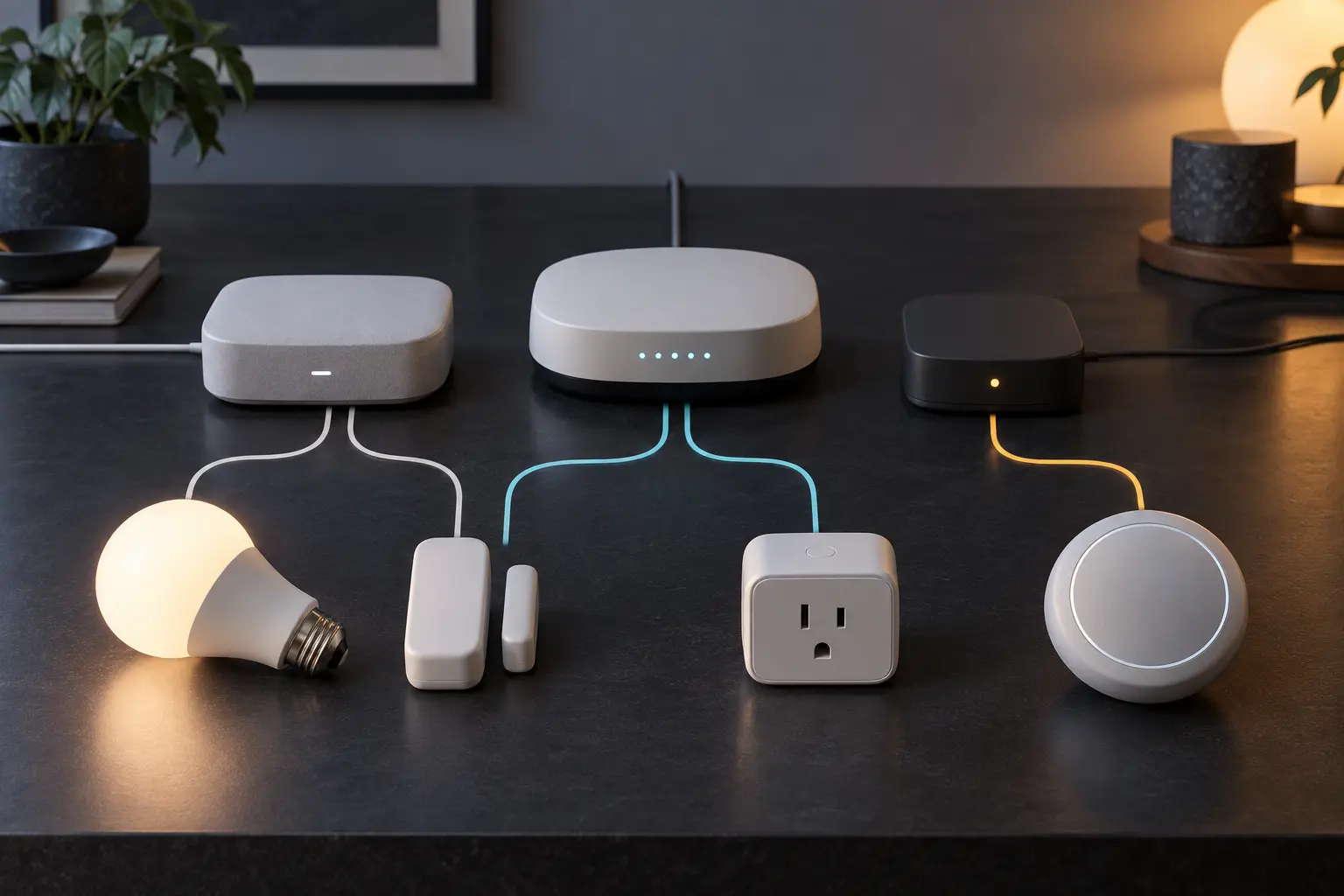
Separate the language from the transport
Matter is an IP-based application standard developed by the Connectivity Standards Alliance. It defines a common way for supported device types to be commissioned and controlled across participating ecosystems. Matter traffic can run over Wi-Fi, Ethernet or Thread; Bluetooth Low Energy is used during commissioning.
Thread is a low-power IPv6 mesh network designed for connected devices. It is not Matter itself. A Matter accessory can use Wi-Fi without Thread. A Thread accessory can use a non-Matter application. The logo on the package should identify both the application compatibility and the transport requirement.
Zigbee, Z-Wave, Bluetooth-only and proprietary devices do not become native Matter-over-Thread devices because a new hub is installed. They may remain useful through a compatible bridge or platform integration.
Matter controller: the ecosystem brain
A Matter controller commissions accessories into a Matter fabric, stores the operational relationship and issues commands. The controller role may live in a speaker, display, streaming box, dedicated hub, phone or software platform. Remote access and automations may depend on an always-powered home hub even when a phone participates in setup.
Choose for: the household’s primary app, voice assistant, automation features, account model, supported device types, household sharing and privacy expectations. A controller determines much of the daily experience.
Do not assume: that every Matter-certified device type exposes every feature in every ecosystem. Google’s official support table explicitly notes that many types are supported but not all are fully supported. Check the exact accessory class and intended controls before buying.
Thread border router: the network doorway
A Thread border router connects the Thread mesh to the home’s other IP networks, usually Ethernet or Wi-Fi. It does not translate Matter into another smart-home language. It routes IPv6 traffic between network segments.
A Thread-based Matter sensor or lock needs access to a compatible Thread border router. A Wi-Fi Matter plug does not. This distinction explains why a home can successfully add one Matter device and reject another even though both boxes carry the Matter mark.
Some platform devices combine controller and Thread border-router roles. Others act as Matter controllers without Thread radios. Google’s official documentation says some hubs are border routers while others support only Wi-Fi and Ethernet Matter devices unless another border router is present. Apple likewise publishes a current list of Thread-enabled home hubs and compatible devices.
Choose for: Thread coverage, platform compatibility, current firmware support, reliable power and location. Do not buy one solely for range: mains-powered Thread devices can strengthen the mesh, but battery “sleepy” devices generally do not serve as general-purpose routers.
Bridge: the translator for an existing device family
A bridge connects a group of accessories using another protocol or manufacturer system to a Matter ecosystem. The bridge may speak Zigbee or a proprietary radio to bulbs and sensors, then represent supported functions as Matter devices to the controller.
The bridge can preserve a large installed base and reduce migration cost. It can also remain a dependency for firmware, scenes, advanced features and local radio coordination. Google’s Matter documentation notes that devices behind a Matter bridge appear as normal devices while the bridge itself appears as an inert control bridge.
Choose for: a specific existing family whose bridge exposes the functions you need. Do not assume: that every feature behind the original app crosses the bridge. Dynamic lighting scenes, energy data, firmware tools or vendor-specific controls may remain inside the manufacturer system.
A radio hub is not automatically a Matter bridge
Some boxes coordinate Zigbee or Z-Wave devices and run local automations but do not expose them through Matter. Others add Matter support only for selected categories. Read the support page at the exact model and firmware level.
A generic claim such as “Matter-ready” may describe future software, controller capability, bridge capability or merely participation in an ecosystem. Look for what the device does today: controller, border router, bridge, endpoint or some combination.
Build the role inventory before shopping
- List every accessory you intend to keep. Record manufacturer, model, protocol, power source and current app.
- Mark the transport. Wi-Fi, Ethernet, Thread, Zigbee, Z-Wave, Bluetooth or proprietary.
- Mark the application path. Native Matter, bridged Matter, platform integration or manufacturer-only.
- Choose the primary controller ecosystem. Decide which app, household-sharing model and voice interface will own normal use.
- Identify missing roles. Separate controller, Thread border router and bridge needs instead of writing only “hub.”
- Check exact device-type support. A standard can define a category before a chosen ecosystem exposes every control.
- Test one accessory. Prove commissioning, local control, remote control and household access before converting a room.
Use the role comparison
- Matter controller: commissions and controls Matter devices within an ecosystem. Buy for platform experience and supported functions.
- Thread border router: connects the Thread mesh to the home IP network. Buy only when Thread endpoints need that path.
- Bridge: represents an existing device family to Matter or another platform. Buy for the exact legacy protocol and exposed features.
- Dedicated automation hub: may coordinate radios and run local rules. Verify separately whether it is also a Matter controller, border router or bridge.
One device may fill three roles, which can simplify setup. It can also concentrate failure and ecosystem dependence. Two devices may add redundancy, but only if they participate in the same intended network rather than creating parallel homes and duplicate automations.
Audit accounts, clouds and local behavior
Matter supports local IP communication, but a product’s complete behavior can still involve accounts, cloud services, telemetry, firmware delivery and remote access. Review the controller platform and accessory manufacturer separately.
Ask whether setup requires an account, whether basic control works when the internet is unavailable, where automations execute, which household members can administer devices, how access is revoked and what happens if the vendor service ends. Local control is a capability, not a blanket privacy guarantee.
Network segmentation may help some households, but it can also break discovery protocols if configured without understanding multicast DNS, IPv6 and border routing. Treat advanced firewall changes as network engineering, not a universal privacy trick. Begin with updated firmware, strong account security and minimal permissions.
Place infrastructure for the radio it serves
The best smart-home location may differ from the best Wi-Fi-router location. Thread and Zigbee operate in the crowded 2.4 GHz environment and benefit from sensible spacing, central placement and distance from large metal objects or electrical noise. A bridge buried in a cabinet beside network equipment may be convenient for Ethernet and poor for radio coverage.
Do not buy more hubs before checking power, Ethernet, Wi-Fi coverage and the existing mesh. Use the home Wi-Fi decision guide for underlying network problems. A Matter logo cannot repair weak Wi-Fi.
What to buy—and what to skip
Buy a combined platform hub when you are committed to one ecosystem and need both a Matter controller and Thread border router. Verify the exact generation; visually similar models can have different radios.
Buy a manufacturer bridge when it preserves a meaningful installed base and the published Matter exposure includes the functions you use. Keep the original app available for firmware and advanced controls unless the documentation says otherwise.
Buy a dedicated multi-protocol hub when local automation, several legacy radios or deeper rule control justifies more administration. Do not assume it reduces complexity for a household that wants one simple app.
Buy nothing when current equipment already fills the roles. A supported Apple home hub, Google Matter hub or compatible Alexa device may already be present. Check official model lists on the day you buy; support and firmware requirements change.
The bottom line
Buy roles, not the word hub. Choose the controller for how the household operates the home. Add a Thread border router only for Thread connectivity. Keep or add a bridge when it carries a valuable existing device family into the chosen ecosystem.
Interoperability reduces some lock-in without erasing platforms, radios or product-specific features. The cleanest smart home is not the one with the newest standard on every box. It is the one whose dependencies are known, supported and small enough to maintain.
Official compatibility and standards sources
- Connectivity Standards Alliance, Build With Matter, for Matter’s IP foundation and supported network layers.
- Google Home Developers, Thread Play services APIs, for the Thread border-router role.
- Google Home Developers, Supported device types and hubs, for current ecosystem capability boundaries.
- Apple Support, Thread border router requirements, updated January 13, 2026.
- Thread Group, Thread benefits and architecture, for the low-power IPv6 mesh role.
- For broader device and account risks, use Personal Threat Modeling for Ordinary People.
END OF FIELD GUIDE 049
Keep the question. Test the model.
Choose the narrowest claim the evidence can carry, then leave room for revision.